Every app, in one place.
Pick an app and tap Install. It goes on your home screen or desktop and opens like a normal app, full screen, no app store.
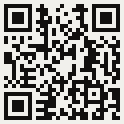
On a computer? Scan this with your phone camera to install the apps there.
You are inside another app's browser (Instagram, TikTok and so on). It can't add to the home screen. Tap the ⋯ menu and pick Open in browser first.
Install
Each one installs on its own. Install as many as you like.
-

Asymmetry
How hot is crypto right now? One number, free.
Live · iPhone app submitted to the App Store -
Even Odds
Trade crypto at the best price, with your own money in your own account.
Demo -

Even Odds Wallet
Your own wallet. A passkey instead of seed words.
Demo -

Alive
An everything app for daily life. Your data stays on your device.
Prototype · web preview, never run on a phone -

BizSim
Practise real business decisions in a learning simulator. In Japanese.
Game · in progress -
Intact
Private chat with no phone number. End-to-end encrypted.
Early · messages work, no notifications yet -
Compatibility Compass
Pick a personality type and see which cities have the most people like it.
Live -
Relay Maps
Truck routing with live border waits, closures, weather and truck parking.
Live · early -
Code Forge
Describe an app and it builds it for you, right on your phone. Free with your own NVIDIA key.
Live · early
Open in your browser
These don't install yet. Bookmark them.
-
Cheap Shot
A browser game. Mission 1: Blackout Airfield.
Game · one mission -
Relay
The system that runs a trucking company: dispatch, billing, the books.
Live · staff sign-in only
How to add an app to your home screen
iPhone or iPad
- Open the app in Safari (Chrome works too on iOS 16.4 and newer).
- Tap the Share button (the square with an arrow).
- Scroll down, tap Add to Home Screen, then Add.
Android
- Open the app in Chrome.
- Tap the ⋮ menu, then Install app or Add to Home screen.
- Tap Install.
Computer (Chrome or Edge)
- Open the app, then click the install icon at the right end of the address bar.
- Or scan the QR code at the top with your phone camera to open this page there.
Links
YouTube channel: not started, 0 videos. The link goes here when it exists.